 BACK 40
- Turn on Stand security under Add-ons, then open Stand security.
- Set up the stand tablet: tap Set up a stand tablet and open the link (or scan the code) on the tablet you leave at the stand, within an hour. The link works once. Open the checkout on it and allow the camera when asked.
- From then on that tablet's checkout shows a camera notice and takes one photo when someone checks out. Customers' own phones never take photos. Print the camera sign and post it at the stand. Rules on cameras differ by state: check yours.
- Snapshots appear on the Stand security page with the time, order number and amount. They're deleted after 30 days. Remove a tablet to stop it taking photos.
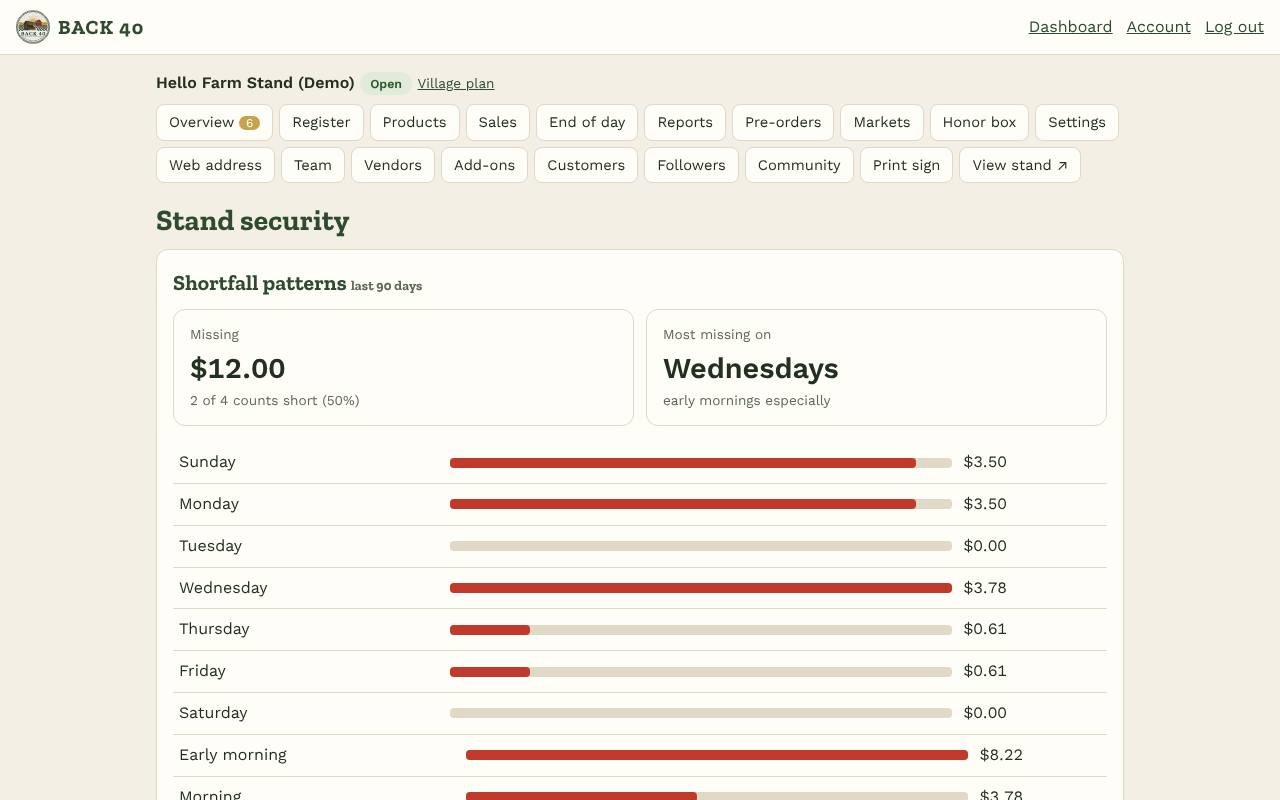
- Shortfall patterns: count the honor box under Honor box regularly. Each count that comes up short is shared among the self-checkout cash sales since the count before, so you see how much went missing, how often, and on which days and times of day. The more often you count, the sharper the picture.
- Stand security is owner-only.
Stand security
Checkout photos on your stand tablet and honor-box shortfall patterns.
Screenshots
Related guides
- Add-ons: Books, Marketing kit, LoyaltyBookkeeping, posts and flyers, punch cards and gift cards.
- CSAShares, pickup sites, holds and swaps, installment payments.
- Meat ordersHalves and quarters with deposits, cut sheets and bills by hanging weight.
- WholesaleSell to restaurants and stores with price lists and net-30 invoices.
Still stuck? Send us a message.
Be one of the first stands on Back40.
Leave your email and we'll let you know as soon as your spot is ready.