 BACK 40
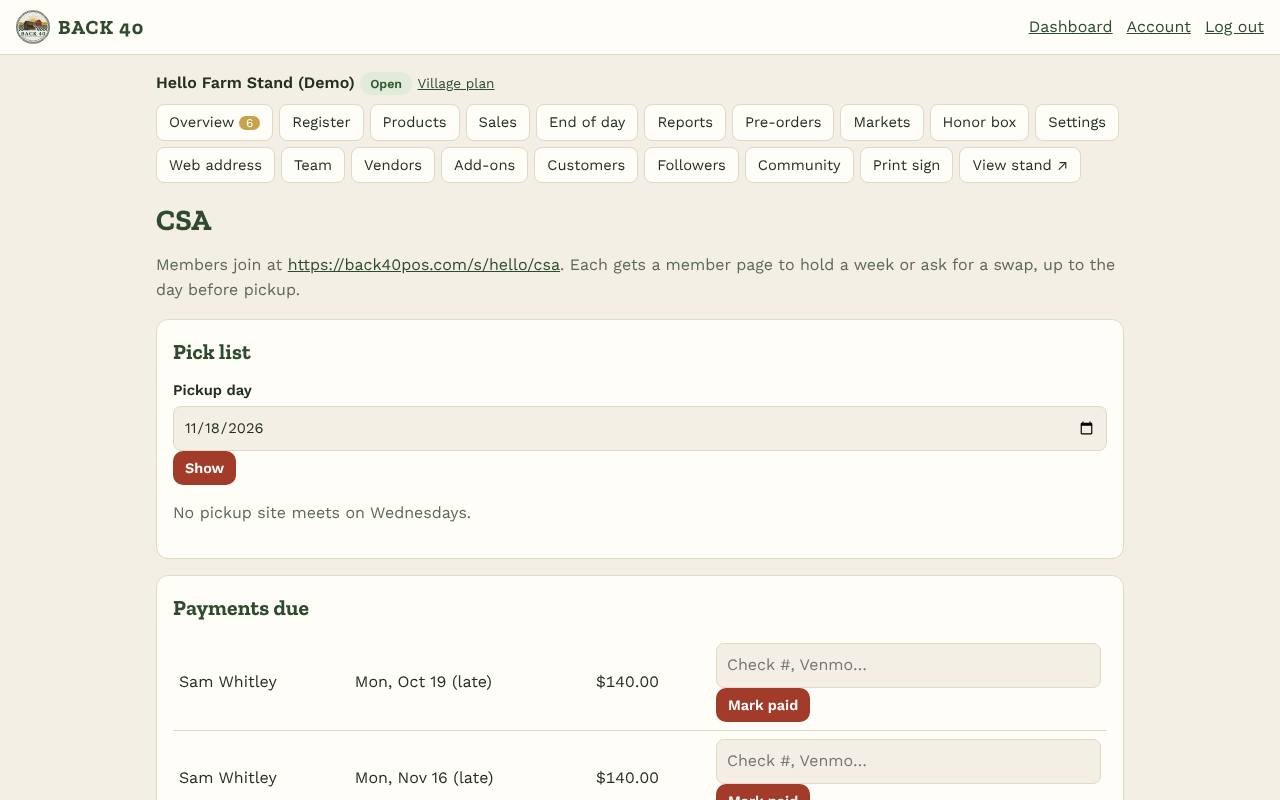
- Turn on CSA & subscriptions under Add-ons, then open CSA.
- Add your shares: name, season price, how many payments (pay in full, or 2–6 installments: the first is due when they join, the rest spread over the season), season start and end, and an optional member limit.
- Add pickup sites: where, which day of the week and what hours. Members choose one.
- Share the sign-up link shown at the top of the CSA page (your stand page shows a Join the CSA button too). You can also add members yourself.
- Each member gets a member page (emailed to them) with their payments and their pickup weeks. They can put a week on hold or leave a swap note ("no beets please") until the day before pickup.
- Pick list: choose a pickup day to see who's picking up at each site, how many boxes to pack, holds and swap notes. Staff can view it; only owners change shares and members.
- Payments due: collect them your way (cash, check, Venmo…) and tap Mark paid with a note. Late ones are marked.
CSA
Shares, pickup sites, holds and swaps, installment payments.
Screenshots
Related guides
- Add-ons: Books, Marketing kit, LoyaltyBookkeeping, posts and flyers, punch cards and gift cards.
- Meat ordersHalves and quarters with deposits, cut sheets and bills by hanging weight.
- WholesaleSell to restaurants and stores with price lists and net-30 invoices.
- U-pick & eventsTime slots, tickets and gate check-in for u-pick days and workshops.
Still stuck? Send us a message.
Be one of the first stands on Back40.
Leave your email and we'll let you know as soon as your spot is ready.