BACK 40
Cash and app payments can't be confirmed automatically, so each sale starts as claimed: the customer says they paid. Card payments through Stripe are confirmed on their own.
Checking Venmo, Cash App and PayPal
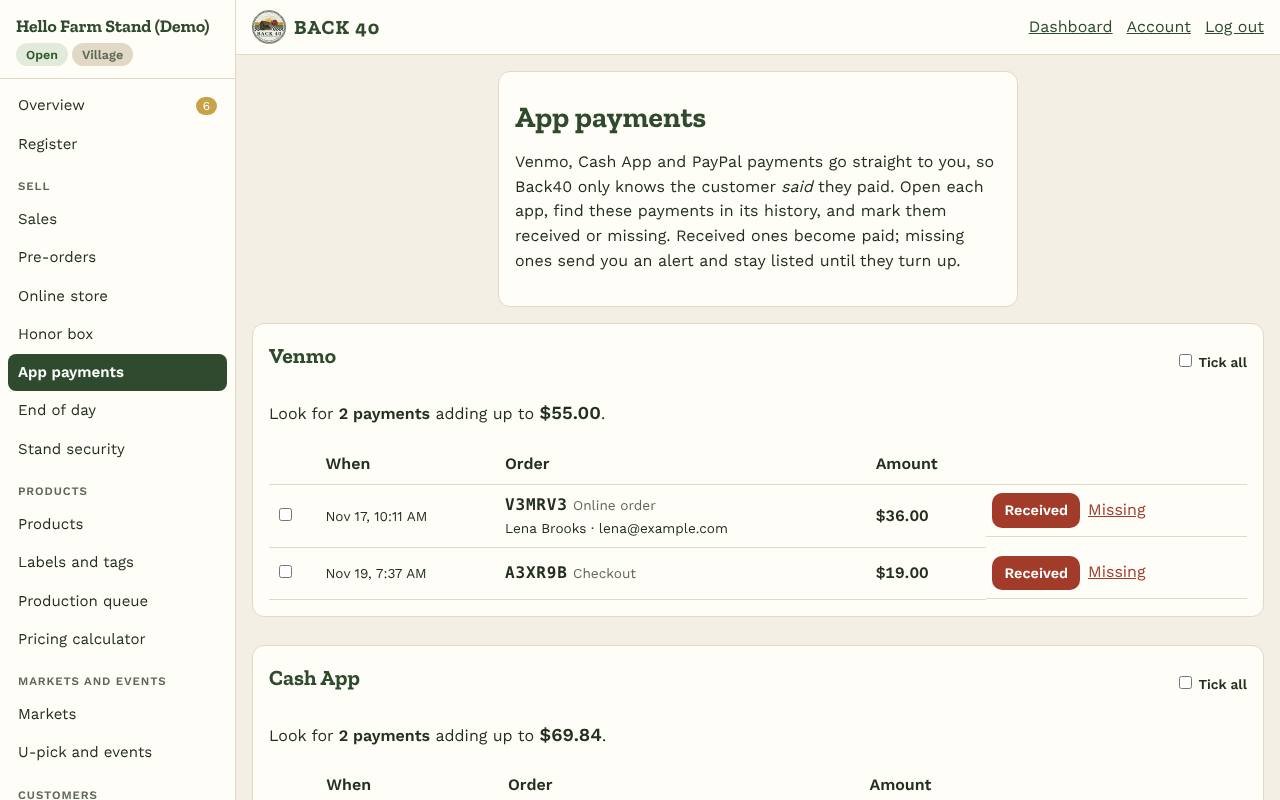
Open App payments. Every claimed payment that you haven't checked yet is listed by app, with how many payments to look for and what they add up to. Open the app on your phone, go down its history (each payment note has the order's code), and for each one tap:
- Received: the order becomes paid. Tick several and use Mark ticked received to do them all at once, or Tick all for a whole app.
- Missing: you couldn't find it. You get an alert, and it moves to the Missing list with the customer's name and contact if they gave one. If the money shows up later, tap It turned up.
A pre-order picked up and paid together with other items at the stand is one payment, so it shows as one line. The bottom of the page shows the last 30 days: received and missing, by app. Only owners see this page.
You can still mark a single sale paid on Sales. If a sale was a mistake, Cancel puts the stock back.
Cash
Cash goes in the honor box. See Counting the honor box.