Take cards, Apple Pay and Google Pay through your own Stripe account.
Open Settings and scroll to Card payments. Tap Connect Stripe.
Stripe asks for your business and bank details (it's free to open an account). When you're done you come back to Back40, and your self-checkout and register take cards, Apple Pay and Google Pay.
At the self-checkout, customers choose Card and pay on Stripe's secure page; their receipt shows Paid once it goes through. At the register, choose Card and they scan the QR code to pay.
Card money goes straight to your Stripe account; see payouts, refunds and disputes in your Stripe dashboard.
Cash App Pay, confirmed automatically: in your Stripe dashboard, go to Settings → Payment methods and turn on Cash App Pay. Customers can then pick Cash App on the card page, and Back40 marks the order paid by itself, like a card. (Payments to your personal $cashtag can't be confirmed automatically, so those still start as claimed.)
Fees: Stripe's processing fee per card payment. On the free Roadside plan Back40 adds 0.5% per card sale; paid plans have no Back40 fee.
A card order that's started but not paid holds its items for an hour, then lets them go. It never counts as a sale.
Selling for vendors? Each card payment's processing fee is recorded, so vendors whose terms pass card fees on pay their share on their statements.
Screenshots
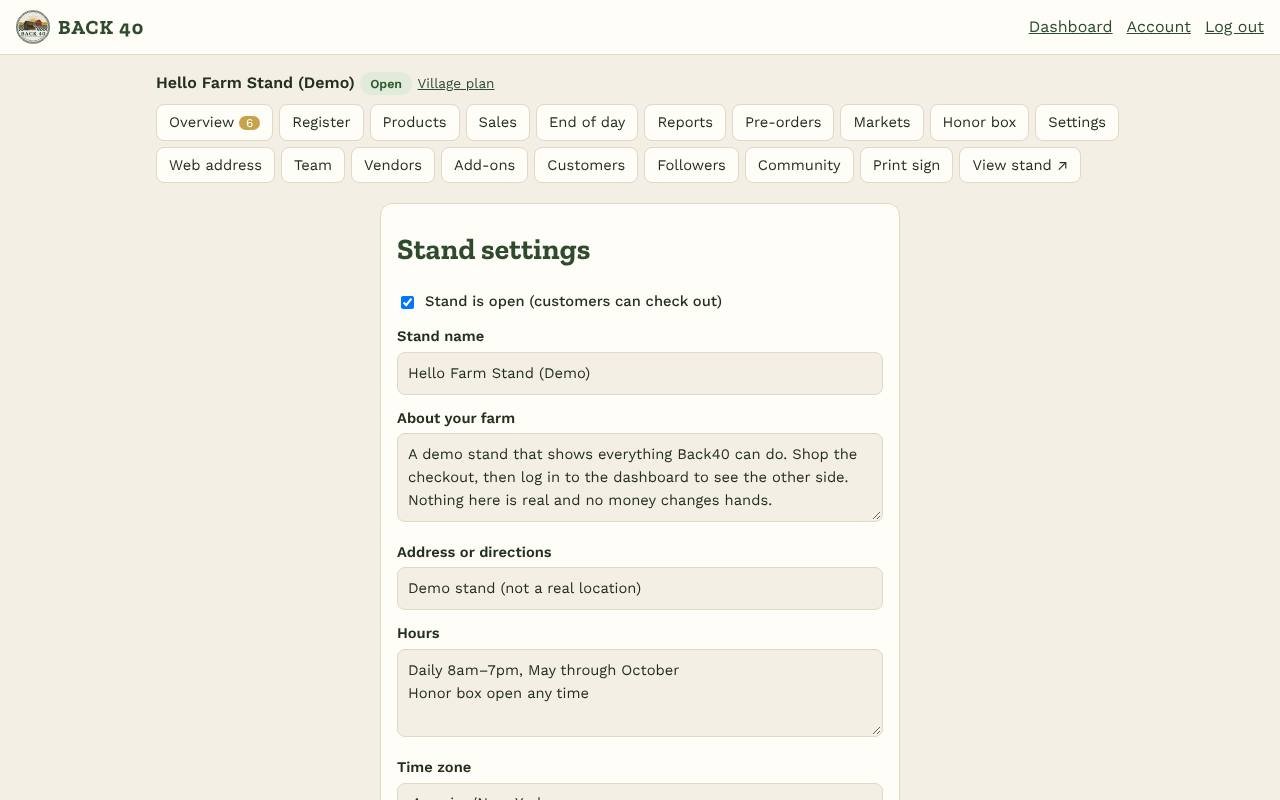
Settings: payment details, hours, the map and card payments.
Related guides
How customers check outWhat customers see when they scan your sign: tap items, choose how to pay, done.
The registerRing up sales when you're at the stand or a market, even without signal.
 BACK 40