 BACK 40
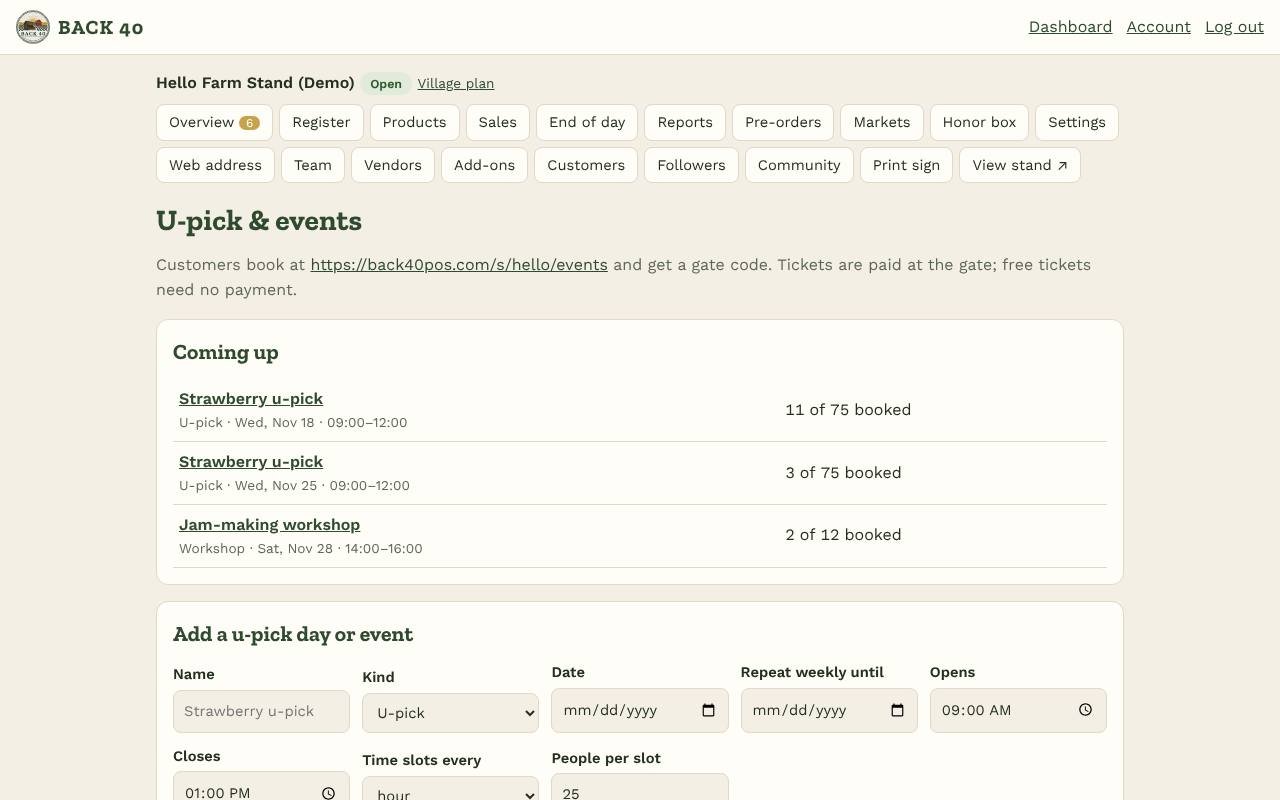
- Turn on U-pick & events under Add-ons, then open Events.
- Add a day: the name, kind (u-pick, event or workshop), date, opening and closing time, how long each time slot is (or one slot for the whole time) and how many people fit in each slot. To run it every week, pick Repeat weekly until: each date is set up at once.
- Tickets: up to three types with a price each, like Adult $5, Child $3, Under 3 free.
- Customers book from your stand page (U-pick & events) or the link at the top of the Events page: they choose a time and how many of each ticket and get a gate code by email. Full slots can't be booked. They can cancel until the day before.
- At the gate: open the day, type the gate code (or tap the name) and Check in. Unpaid tickets are marked paid when you check them in, so collect the amount shown. Staff can check people in; only owners add or cancel days.
- Weather? Use Cancel this day with a short message: everyone booked gets an email.
U-pick & events
Time slots, tickets and gate check-in for u-pick days and workshops.
Screenshots
Related guides
- Add-ons: Books, Marketing kit, LoyaltyBookkeeping, posts and flyers, punch cards and gift cards.
- CSAShares, pickup sites, holds and swaps, installment payments.
- Meat ordersHalves and quarters with deposits, cut sheets and bills by hanging weight.
- WholesaleSell to restaurants and stores with price lists and net-30 invoices.
Still stuck? Send us a message.
Be one of the first stands on Back40.
Leave your email and we'll let you know as soon as your spot is ready.