BACK 40
When a cash customer pays more than the total and there's no change in the box (or you'd rather not hand it back), they can keep the change as credit for next time, saved under their phone number.
- Turn it on (it's on by default) and set the most one customer can hold under Settings → Change credit (default $20).
- At the register: tap Customer credit and enter their phone number. New customers choose a 4-digit PIN. When they pay cash, tick Keep the change as credit: the change is saved instead of handed back, and it's ready right away. Next time, look them up, ask for their PIN, and their credit comes off the total; they pay the rest.
- At the self-checkout: when a customer pays cash, they tap Check out and say how much they're putting in the box (Exact, $5, $10, $20 or an amount). If there's change, they choose: Leave it as a tip, Save it as credit, or take my change from the box.
- Saving credit: they enter their phone number. If they've been here before, they enter their PIN; if not, they choose a 4-digit PIN to make their account. Their change waits as pending until you count the box.
- Using credit and gift cards: on the checkout, Gift card or credit? signs them in with their phone and PIN. They choose whether to use their credit and which gift card on their account, or add a gift card to their account by its code. A gift card can also be used by its code without an account.
- Tips (offered when change credit is on) are counted in the cash expected in the box (Honor box) and shown on End of day. At the register, tick Customer said keep the change to record it as a tip.
- Change credit has to be turned on under Settings → Change credit (Homestead and up). With it off, cash is one tap at checkout: no amount, no tip and no credit.
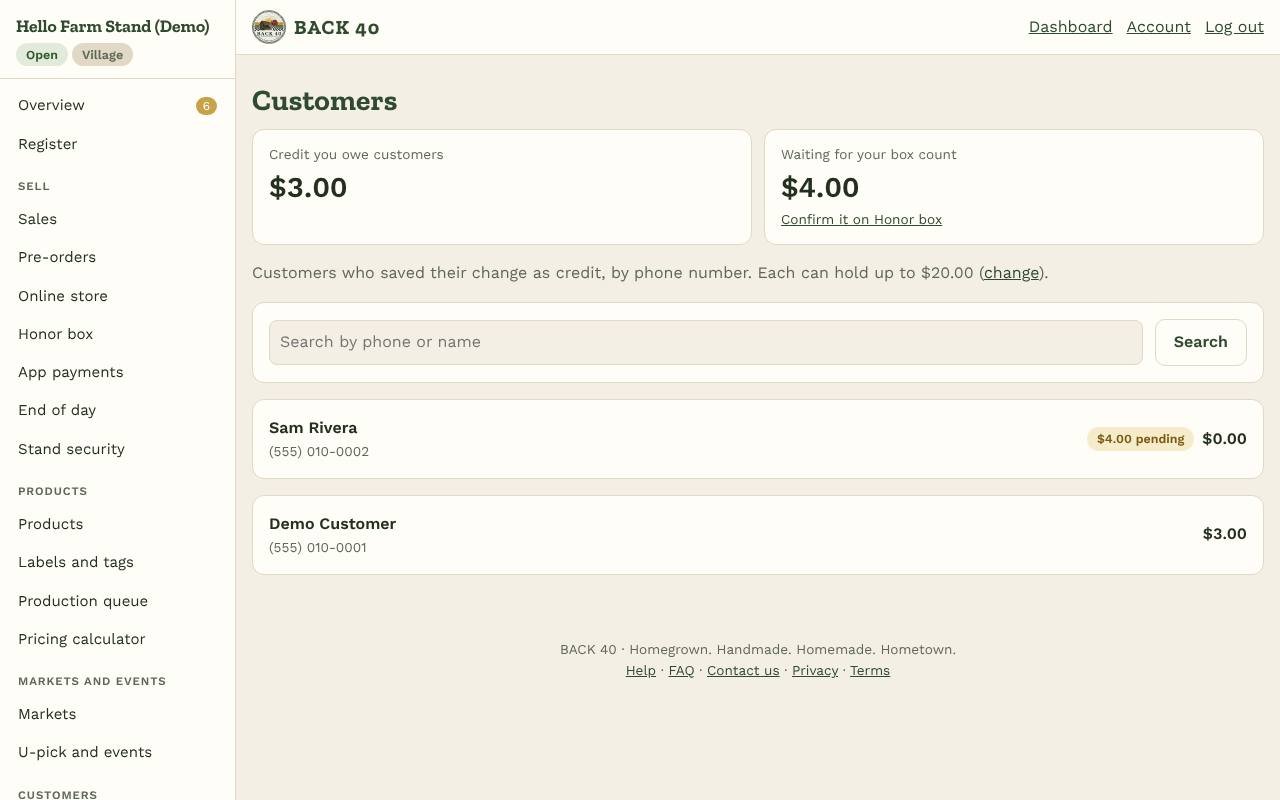
- Confirm it: on Honor box, under Change credit to confirm, choose Confirm all, Confirm part (what you actually found) or None. Customers only get what you confirm.
- Customers (owners): everyone with credit, the total you owe, each customer's history, and buttons to add or remove credit (for a refund, say) or set a new PIN with the customer in front of you.
- Credit you owe shows on your dashboard. Credit is a way of paying, not a discount: your sales and your vendors' payouts count the full price.
- Spending credit needs the customer's PIN (or a texted code, once texting is on). Five wrong tries lock it for 15 minutes.
- Credit doesn't expire. Check your state's rules on stored balances with an accountant.