BACK 40
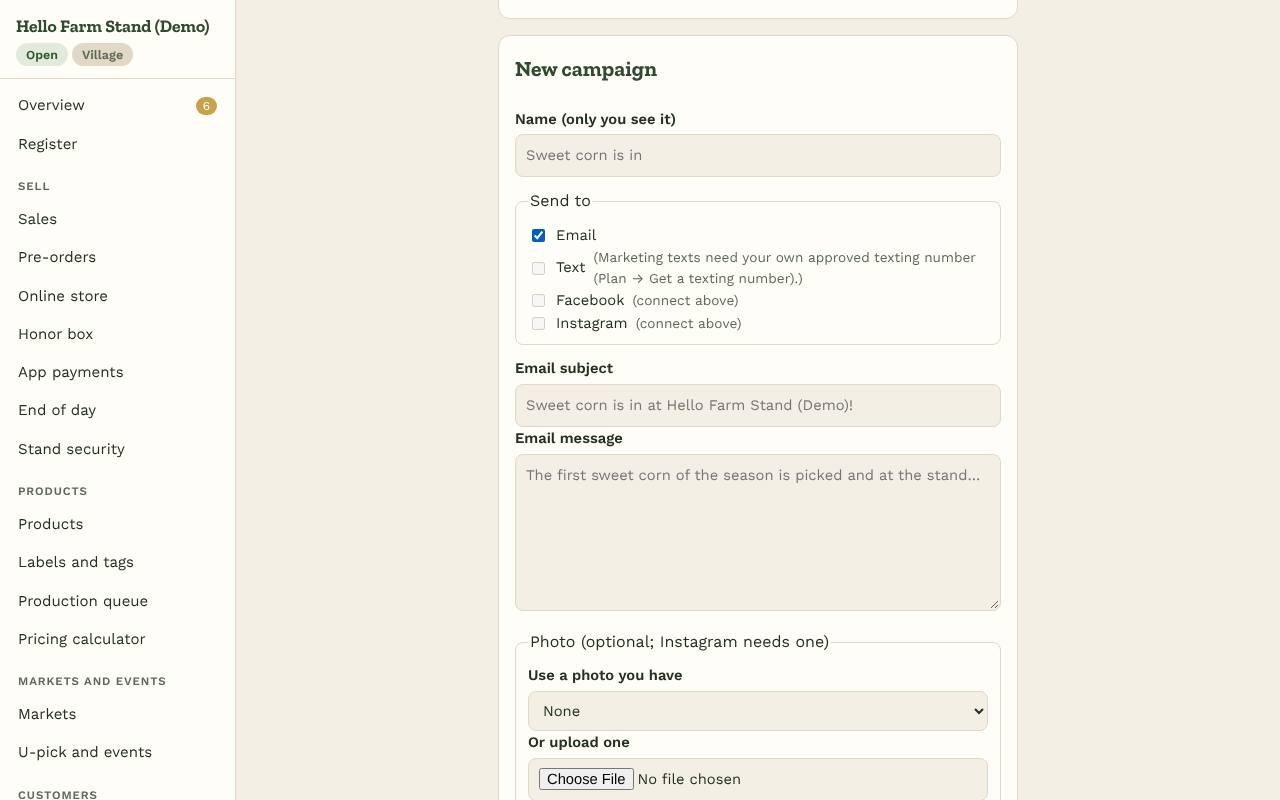
Open Campaigns to tell everyone at once: "Sweet corn is in", "Pie pre-orders are open", "Closed Monday for the holiday". Write it once and choose where it goes, all of them or just one:
- Email to followers who gave their email. It comes from "Your stand via Back40" with your logo and colors, and every email has an unsubscribe link.
- Text to followers who agreed to texts when they followed you (we keep a record of their consent). Your stand's name goes in front and "Reply STOP to opt out" at the end. Campaign texts are marketing, so they go out only from your own approved texting number (Plan → Get a texting number), between 10am and 7pm your time (a campaign sent later waits until 10am), at most one a day and four a week to each person; anyone who replied STOP is skipped. Texts count toward your plan's texts by segment: the counter under the box shows about how many segments each text uses (emoji make segments shorter).
- Facebook: a post on your stand's Facebook Page.
- Instagram: a post on the Instagram professional account linked to that Page. Instagram posts need a photo.
Each place gets its own wording (a longer email, a short text, a post with hashtags). Add a photo (one of your product photos, your logo or a new upload) and a link to your stand. Then Send now, Schedule for a date and time, or Save as a draft. The list below shows what went out where: how many emails and texts were sent, and whether each post went up.
Connecting Facebook and Instagram
- Your stand needs a Facebook Page. For Instagram, switch your Instagram to a professional (business or creator) account and link it to that Page; you can do both in Meta Business Suite.
- On Campaigns, tap Connect Facebook & Instagram, sign in with Facebook, and allow Back40 to post for your Page. If you manage several Pages, pick your stand's.
- That's it. Disconnect any time; you can also remove Back40 in your Facebook settings under Business integrations. Either way Back40 deletes the stored access and Page details right away, and any campaign still waiting to post to Facebook or Instagram goes out without those channels. See Facebook data deletion.
Back40 only posts what you send from Campaigns. It doesn't read your messages or run ads.
So followers don't get too much, you can send one email or text campaign an hour. Campaigns are for owners, and part of Homestead and up (like follower updates). A quick one-line update still works from Followers.