 BACK 40
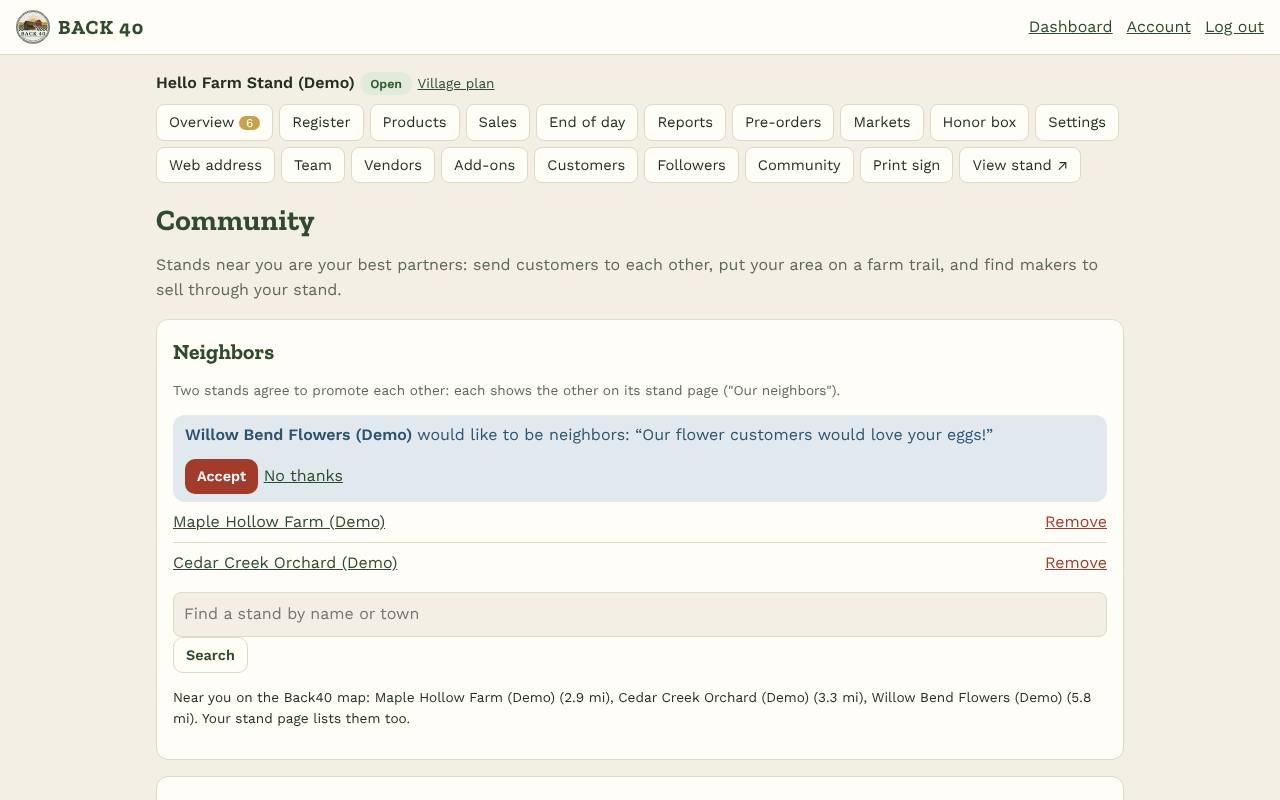
- Neighbors: under Community, search for a stand by name or town and tap Ask to be neighbors. When they accept, each stand shows the other on its stand page under Our neighbors. Remove a neighbor anytime.
- Nearby stands: once your stand is on the Back40 map (Settings), stands on the map within 25 miles show on your stand page with their distance.
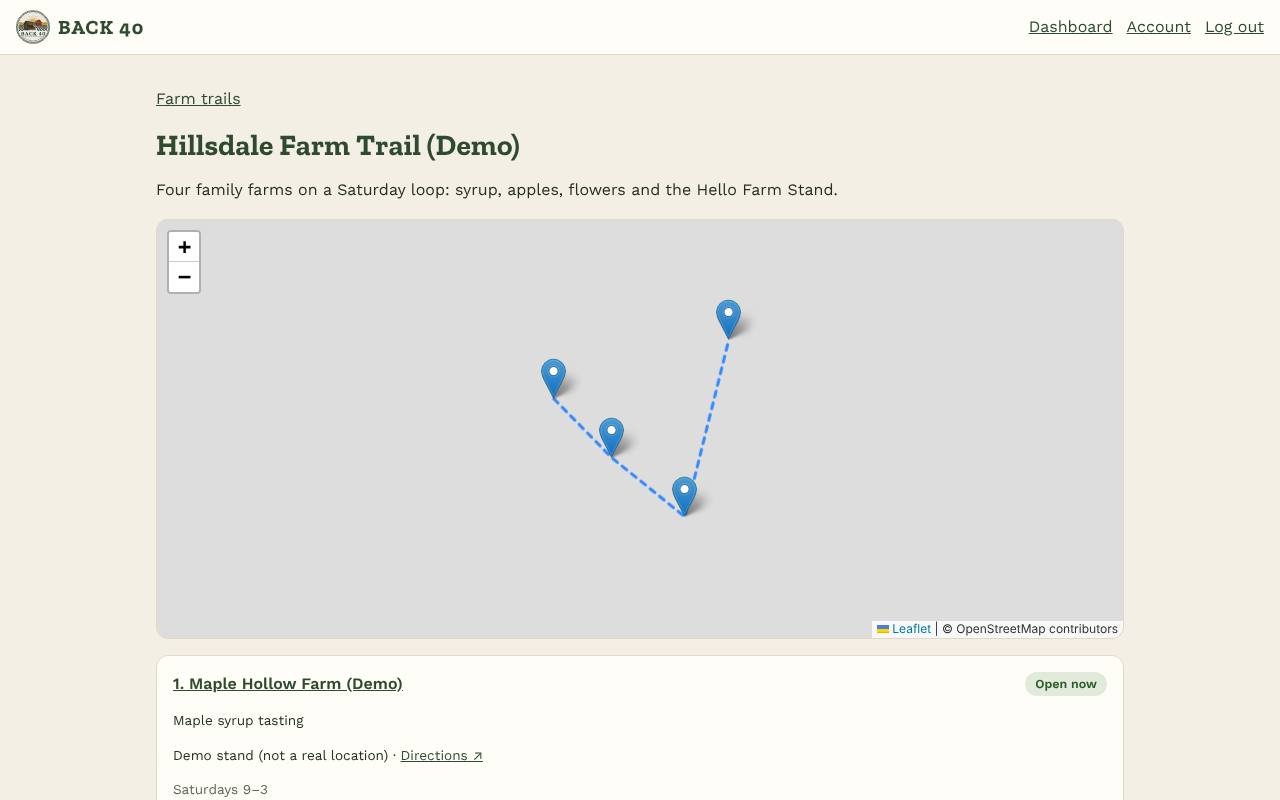
- Farm trails: tap Start trail, then search and invite the stands on your route with a note (what to look for there). They join from their Community page. Put the stops in order with the arrows. The trail page (back40pos.com/trail/…) has a map, each stop's hours and stock, and directions for the whole loop; every stop's stand page links to it.
- Find vendors (Co-op and Village): tick We're taking vendors and say what you're looking for, so makers see you under Find stands. Search makers who list themselves by town or category and tap Invite to sell here: they get the usual vendor invitation, and their email stays private.
- For makers: in your vendor account (My business), add your town and tick List me in the vendor finder. Find stands shows stands taking vendors.
- Processors: back40pos.com/processors lists processors on Back40; book them from Meat orders.
Help center › Community and growth
Neighbors, farm trails and finders
Promote nearby stands, start a farm trail, find vendors and processors.
Screenshots
Related guides
- Followers, map and alertsCustomers follow you, get notified when items are back, and find you on the map.
Still stuck? Send us a message.
Be one of the first stands on Back40.
Leave your email and we'll let you know as soon as your spot is ready.